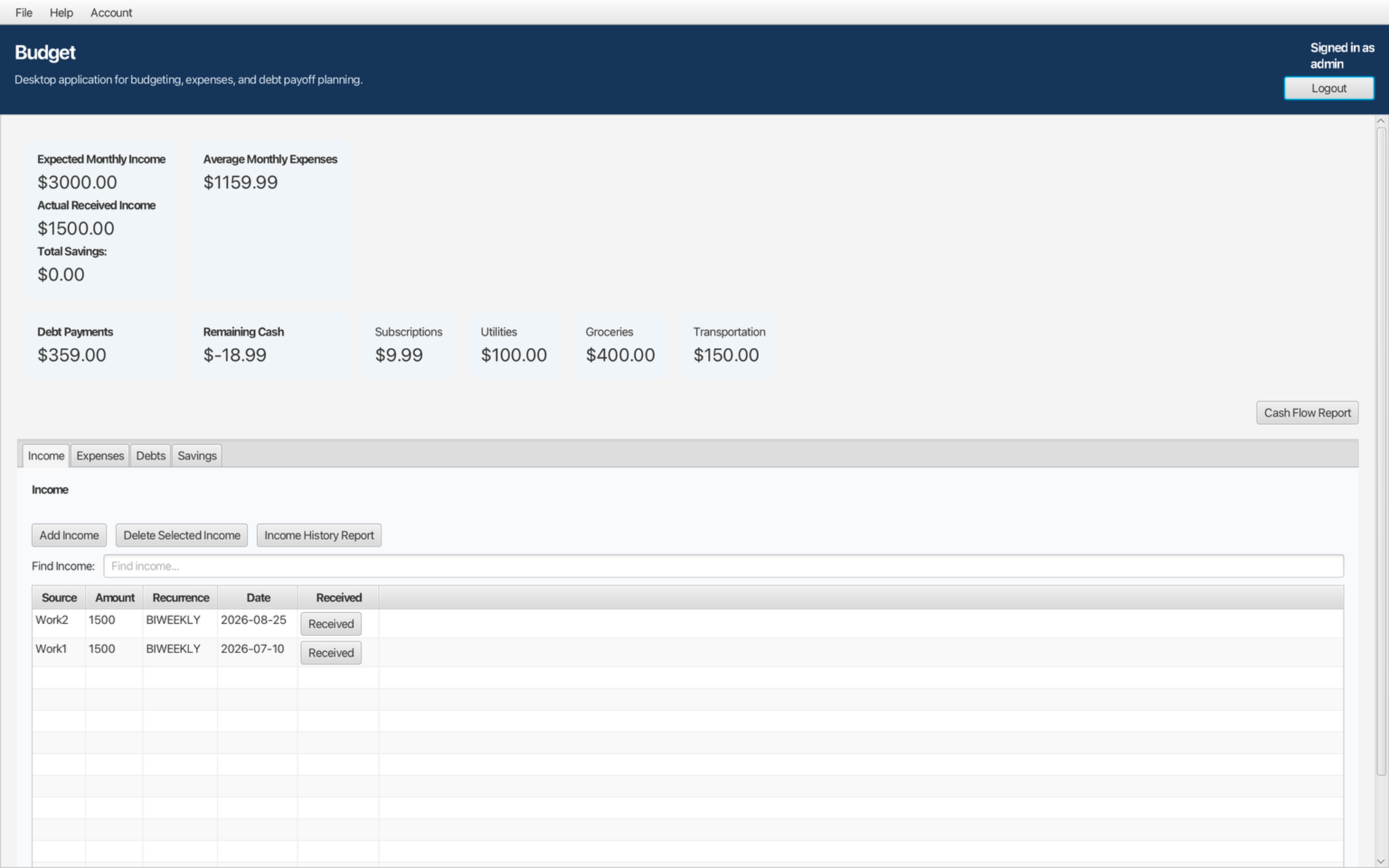
Income Management
Track recurring income sources, received payments, upcoming dates, and income history.
Track income, expenses, debts, savings, and cash flow without connecting your bank accounts or storing your financial records in the cloud.
One-time purchase • No subscription • Local data storage
Budget App is designed for people who want useful budgeting tools without handing their personal financial records to an online service.
Your budgeting information is stored locally on your computer in a SQLite database. Budget App does not require a cloud account, does not require access to your bank accounts, and does not upload your financial records to Leckenby and Associates LLC servers.
Normal budgeting work can be done without an internet connection, and the application does not contain advertising or application analytics.
A focused desktop application for organizing recurring income, expenses, debt payments, savings, and financial history in one place.
Track recurring income sources, received payments, upcoming dates, and income history.
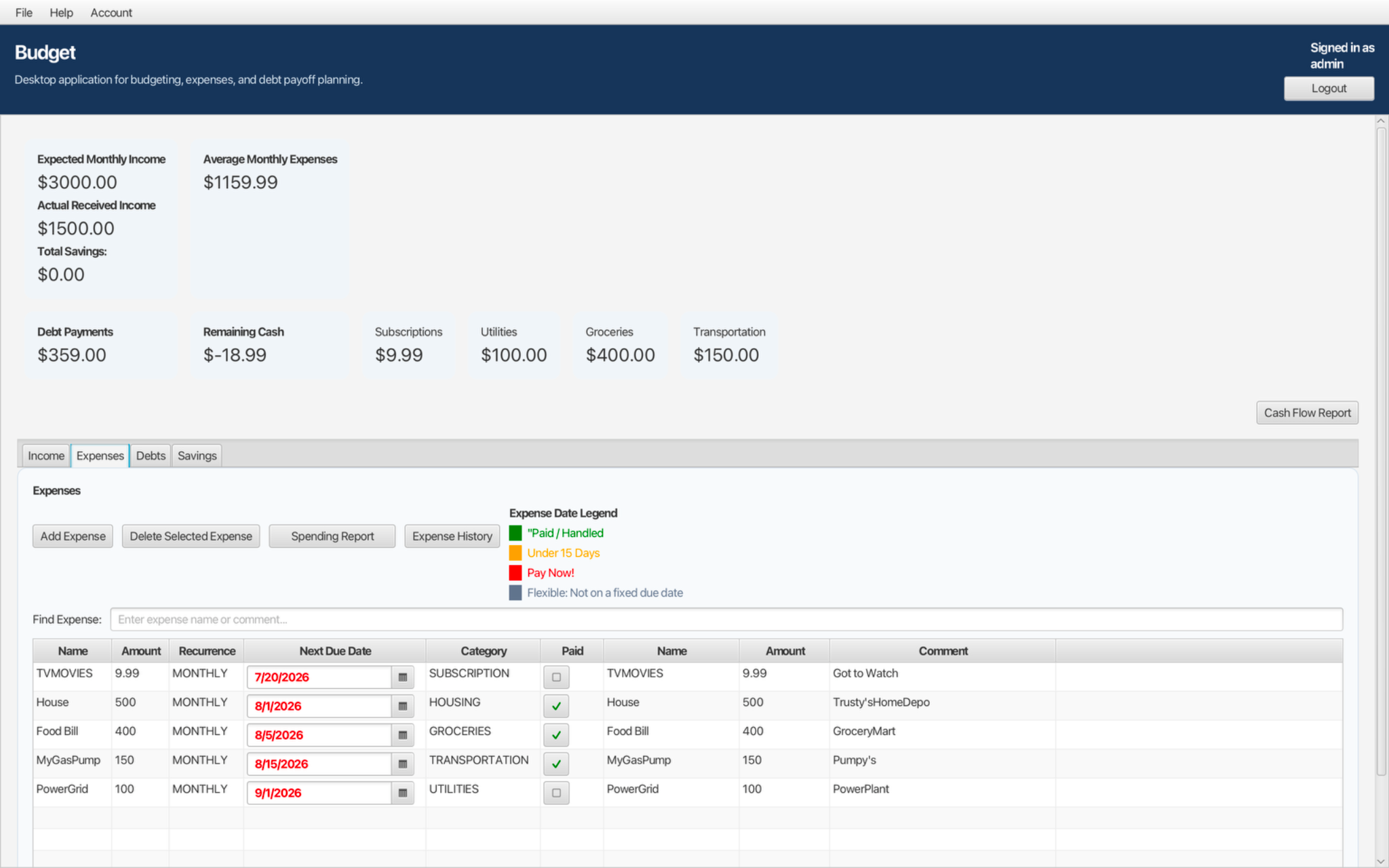
Organize recurring expenses, monitor due dates, mark payments, search entries, and review payment history.
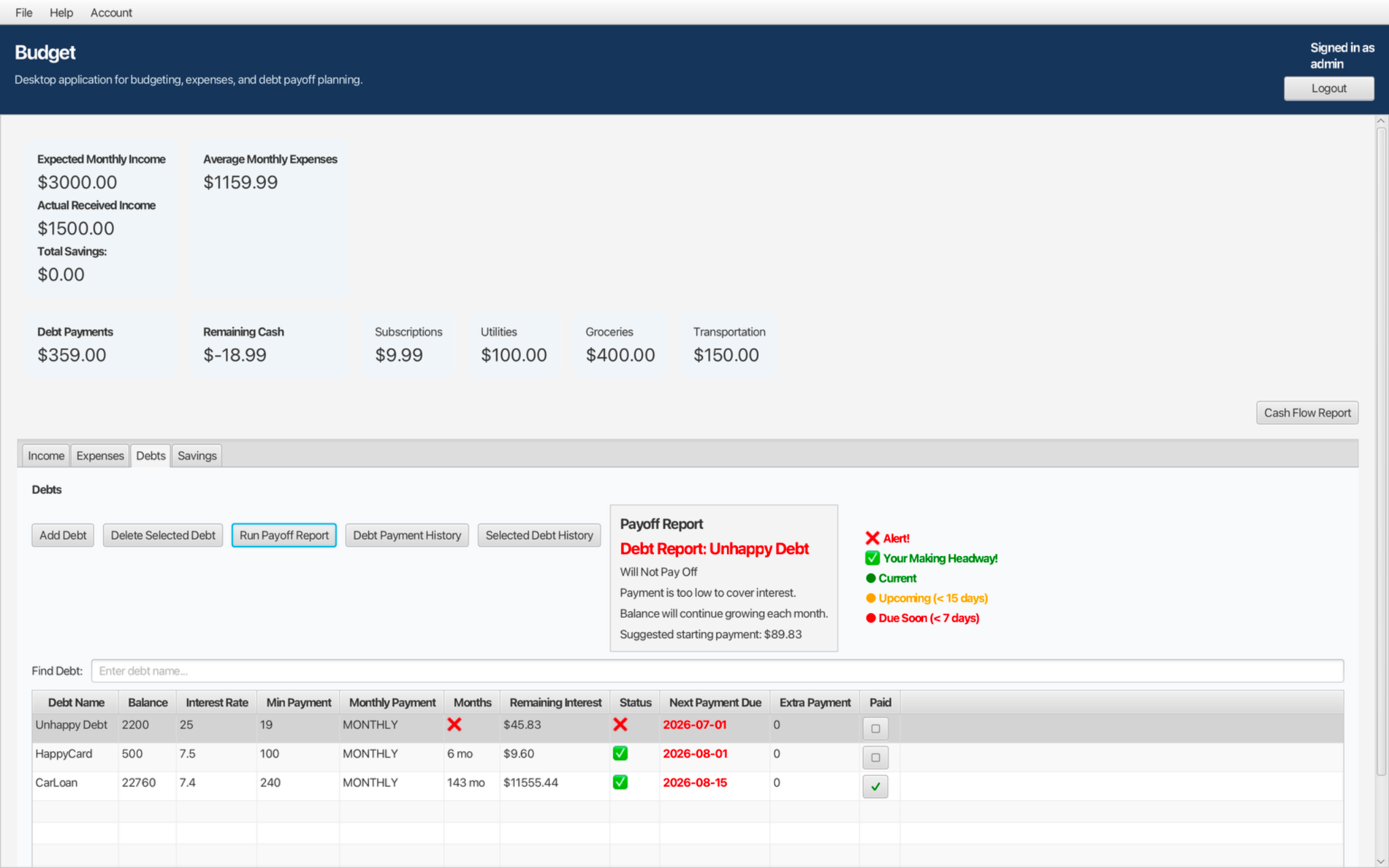
Track balances, interest rates, minimum payments, payoff time, remaining interest, and negative-amortization warnings.
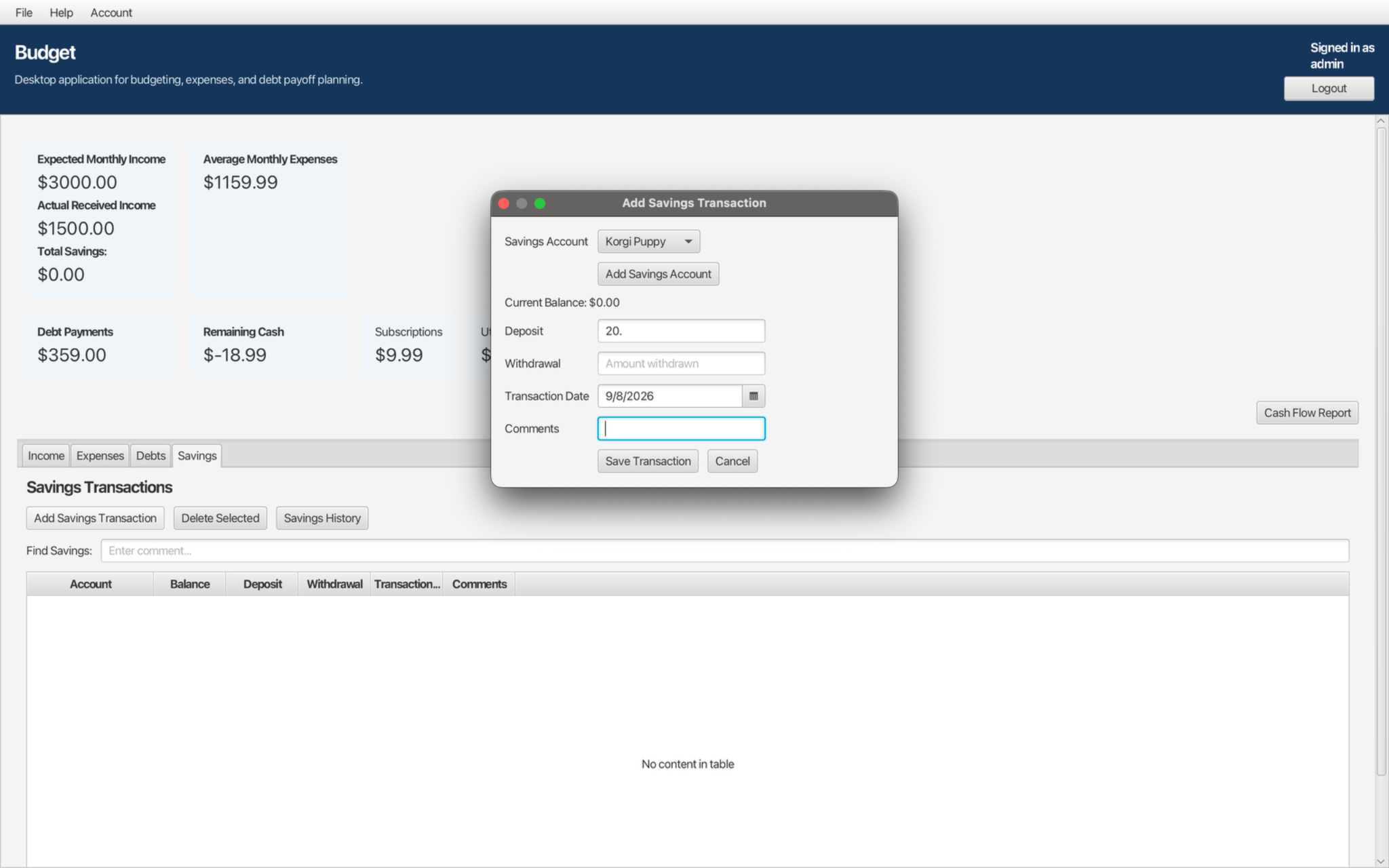
Maintain multiple savings accounts and record deposits, withdrawals, balances, dates, and comments.
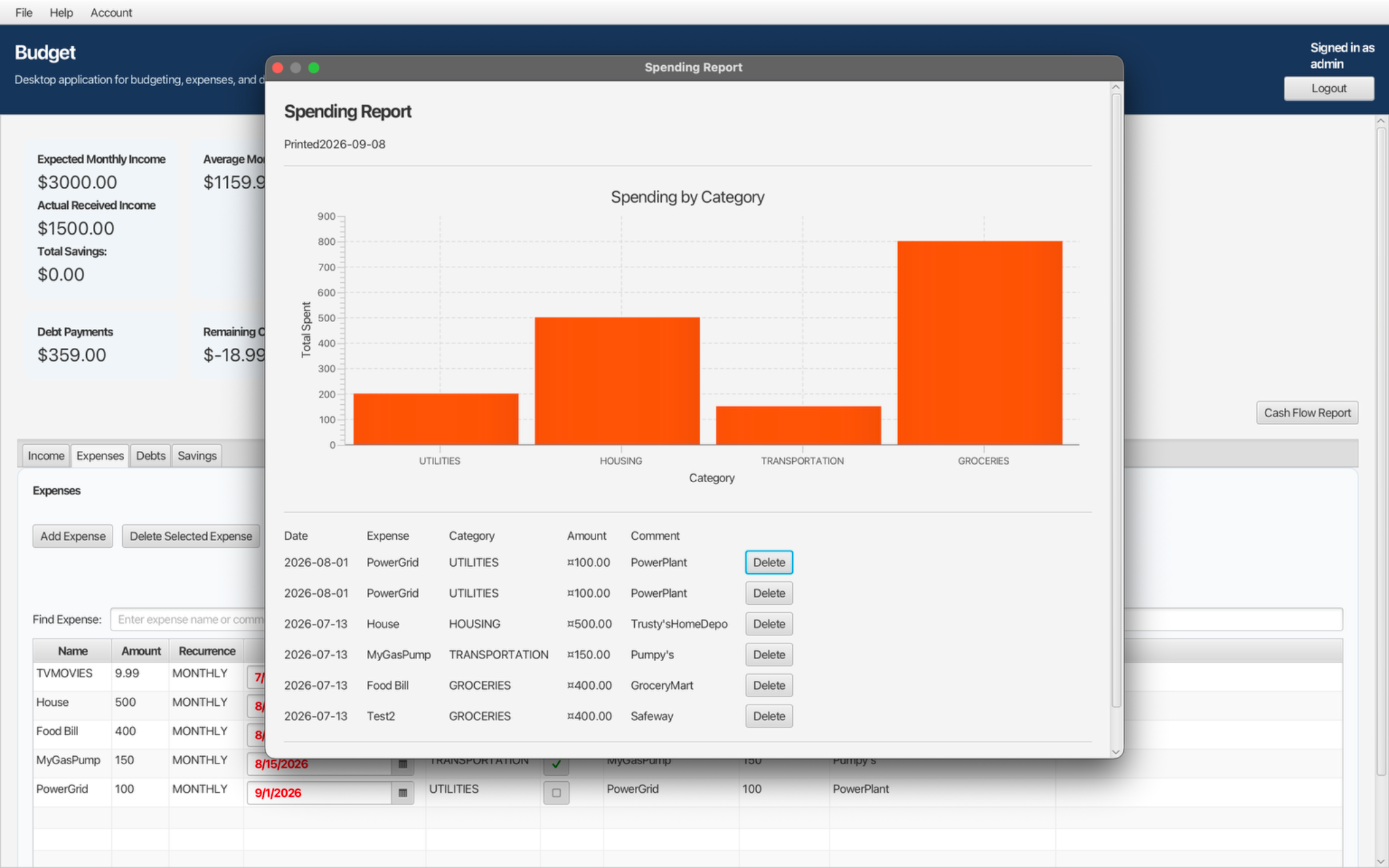
Review cash flow, spending, income, expense, debt, and savings history with printable reports.
Create local backups of your budgeting data and restore them when needed.
Separate user accounts keep budgeting records organized independently on the same computer.
Local login and recovery-key support help protect access without requiring an online account.
A flexible dashboard keeps totals and account registers accessible on different screen sizes.
One Budget App purchase is intended to cover either desktop platform. Final download links will be connected after checkout is set up.
The macOS installer is digitally signed and notarized by Apple for a smoother installation experience.
Installer: DMG
The Windows edition includes the same core budgeting, reporting, savings, and debt-management features.
Installer: EXE
These screenshots use demonstration data and show the current desktop interface and reporting tools.
No monthly subscription and no paid cloud account required.
Secure payment processed by PayPal.
After your purchase is completed through PayPal, you will be directed to a secure download page where you can choose the Mac or Windows version of Budget App.
Your download link is protected by a secure, time-limited token generated after your payment is confirmed.
Budget App began as a practical desktop software project focused on privacy, reliability, and useful financial organization. It was created as an alternative to budgeting services that require subscriptions, cloud storage, or access to a user's financial accounts.
No. Budget App operates locally on your computer during normal use.
No. Your budgeting information is stored locally in a SQLite database on your computer.
No. Budget App is designed for manual budgeting and does not require access to your financial accounts.
No. Budget App is a one-time purchase of $9.99 with no recurring monthly subscription.
Yes. The application includes local backup and restore features.
Yes. Your Budget App purchase provides access to both the Mac and Windows versions from the secure download page after purchase.